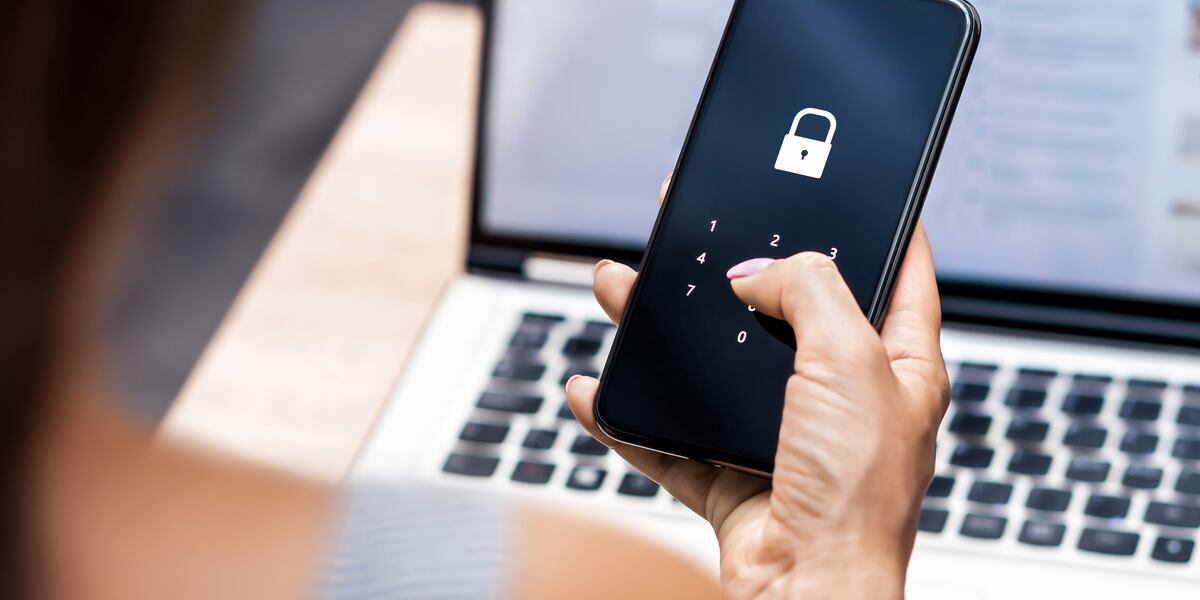
Passwords protect many parts of modern life. American internet users rely on them for email, banking, shopping, social media, healthcare portals, school systems, cloud storage, work applications, and household services.
Weak or reused passwords can create serious problems. If one account is exposed, criminals may test the same login information across other services.
Strong password habits do not require users to memorize dozens of complicated codes. Password managers, multi-factor authentication, recovery planning, and regular account reviews can make security easier.
The goal is to create a system that remains both strong and practical.
Use a Different Password for Every Important Account
Password reuse is one of the largest online security risks.
A person may use one password for email, shopping, social media, and banking because it is easy to remember.
If one company experiences a breach, criminals may try the same password elsewhere.
Important accounts should always have unique login details.
Email deserves special protection because it may control password recovery for many services.
Banking, cloud storage, and work accounts should also use separate passwords.
A unique password limits the damage caused by one exposed account.
Create Longer Passwords
Length is an important part of password strength.
Short passwords are often easier to guess or test.
Long combinations of unrelated words, numbers, and symbols may provide stronger protection.
Avoid common phrases.
Do not use predictable changes such as adding “123” to a familiar word.
Personal information is also risky.
Names, birthdays, addresses, phone numbers, and pet names may be available through public profiles.
Create passwords that are difficult for others to predict.
Use a Password Manager
A password manager can generate and store unique login information.
Users only need to remember the main password protecting the manager.
Choose a reputable service.
Review security features, recovery options, device compatibility, and cost.
Protect the main account with multi-factor authentication.
Do not store the main password in an unsecured note.
A password manager may reduce the temptation to reuse simple passwords.
People organizing home technology security projects can include account management alongside router, device, and smart home protection.
Protect the Main Password Carefully
The password protecting a password manager is especially important.
Make it long and unique.
Do not use it anywhere else.
Choose something memorable without relying on easily discovered personal details.
Store a secure recovery method.
Family members may need an emergency access plan.
However, avoid sharing the main password casually.
A strong password manager becomes less useful when the primary login is weak.
Enable Multi-Factor Authentication
Multi-factor authentication requires an additional step after a password.
A service may request approval through an application, temporary code, security key, or trusted device.
This protection can block access even when a password has been stolen.
Enable it for email, banking, cloud storage, social media, shopping, and important work accounts.
Authentication applications or security keys may provide stronger protection than ordinary text messages.
Save backup codes securely.
Do Not Share Verification Codes
Scammers may request temporary verification codes.
They may pretend to represent a bank, delivery company, employer, technology provider, or government agency.
A verification code is often designed to confirm account access.
Sharing it may allow someone else to sign in.
Legitimate support workers generally should not need a private authentication code.
Read every code message carefully.
Many services warn users not to share it.
Treat verification codes like temporary passwords.
Watch for Phishing Messages
Phishing messages attempt to collect passwords through fake websites or urgent requests.
A message may claim that an account is locked, a payment failed, or suspicious activity occurred.
Avoid opening unexpected login links.
Open the official application or type the known website independently.
Check the sender.
Be careful with messages that create immediate fear.
Modern phishing can look professional.
Correct spelling and familiar logos do not prove legitimacy.
Advice from trusted home and digital security professionals may help families build stronger security habits across connected devices.
Avoid Saving Passwords on Shared Devices
Shared computers may be used by family members, coworkers, students, or visitors.
Automatic password saving can expose accounts.
Use separate operating system profiles when possible.
Sign out after use.
Do not approve “remember me” options on public computers.
Avoid accessing sensitive accounts on unknown equipment.
If access is necessary, change the password afterward when risk is suspected.
Private browsing does not guarantee complete security.
Review Saved Passwords
Browsers and password managers may contain old login information.
Review saved accounts occasionally.
Remove outdated entries.
Change weak or reused passwords.
Some services identify exposed credentials.
Respond quickly when a password appears in a known breach.
Do not ignore security warnings.
Confirm that the warning comes from a legitimate service before opening links.
Access the official account directly when uncertain.
Change Default Device Passwords
Routers, cameras, smart home products, storage devices, and other equipment may include default login information.
Change these credentials during setup.
Default passwords may be widely known.
Use unique administrator passwords.
Keep equipment software updated.
Remove old devices from accounts.
Connected home products require the same careful password practices as phones and computers.
Households developing modern smart home improvements should create an account inventory for important devices and applications.
Avoid Password Patterns
Using one base password with small changes is risky.
Examples include adding a website name or changing one final number.
If one password becomes known, the pattern may be easy to understand.
Use fully unique passwords instead.
A password manager makes this easier.
Users should not depend on predictable formulas.
Security improves when one exposed password provides no clues about other accounts.
Keep Recovery Information Current
Account recovery may depend on a phone number, email address, trusted device, or security questions.
Review these details.
Remove old phone numbers.
Replace outdated email accounts.
Confirm access to backup addresses.
Recovery information should receive strong protection.
An old email account with a weak password may become a path into newer accounts.
Review settings after changing phones or internet providers.
Be Careful With Security Questions
Security questions may request information such as a birthplace, school, pet, or family name.
Some answers may be available publicly.
Use answers that others cannot easily discover.
Store them securely.
Users do not always need to provide literal answers when service rules allow alternatives.
Treat security questions like additional passwords.
Do not share answers through social media quizzes or public posts.
Create an Emergency Access Plan
Families may need access to important accounts during emergencies.
Plan carefully.
A trusted person may need access to household bills, cloud documents, insurance information, or financial records.
Use secure emergency access features when available.
Avoid placing every password in an unprotected document.
Review the plan after major life changes.
Emergency planning should protect privacy while preventing important information from becoming permanently inaccessible.
Separate Work and Personal Passwords
Employer accounts should use separate login information.
Do not reuse workplace passwords for personal services.
Follow company requirements.
Use approved password managers when provided.
Avoid storing company credentials in unauthorized tools.
Report suspected account problems promptly.
Former employees should not retain access.
Business owners should remove credentials after staff changes.
Clear separation reduces security and management problems.
Avoid Sending Passwords Through Messages
Ordinary email and text messages may not be appropriate for sharing passwords.
Use secure password-sharing features when necessary.
Provide separate user accounts instead of sharing one login.
Individual access is easier to remove.
It also creates clearer activity records.
Families should avoid posting passwords on paper beside computers.
Temporary sharing should be reviewed afterward.
Change the password when continued access is not needed.
Update Compromised Passwords Quickly
Change a password when an account reports suspicious activity.
Review recent sign-ins.
Remove unknown devices.
Enable stronger authentication.
Check whether the same password was used elsewhere.
Change related accounts.
Contact the provider through official channels.
Monitor financial activity when payment information may be involved.
Quick action can reduce further damage.
Do not wait for additional problems to appear.
Review Accounts Regularly
People create many online accounts over time.
Old shopping, gaming, social, travel, and subscription accounts may remain active.
Review important services every few months.
Close accounts that are no longer needed.
Remove stored payment information.
Update recovery details.
Check connected applications.
A smaller number of active accounts is easier to protect.
Teach Password Safety at Home
Children and teenagers should understand why passwords should remain private.
Family members should not pressure each other to share every login.
Parents can manage accounts with age-appropriate controls.
Older relatives may need help using password managers and recognizing scams.
Security discussions should remain practical.
Demonstrate how phishing works.
Explain why verification codes should never be shared.
Build a Simple Security Routine
Password safety becomes easier when users follow one consistent system.
Use unique passwords.
Store them in a dependable manager.
Enable multi-factor authentication.
Protect recovery information.
Review accounts regularly.
Readers exploring practical home technology and security guidance can include digital account protection in broader household planning.
Strong passwords are not about creating complicated barriers that users cannot manage.
They are about preventing one mistake from affecting every important account.
A simple, organized security system can protect personal information while making daily online access easier.